Rust Cheats — Rust cheats hero banner on Windows PC

ESP not showing in raid

Overlay draws but player ESP is not showing in raid at all, even on a green status.

ESP

snow_kit OP
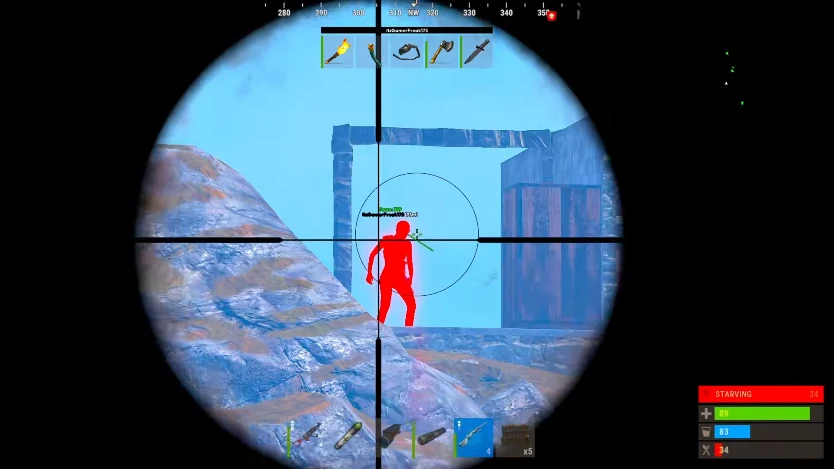
Player ESP boxes on a Rust compound raid

Loaded into a raid on a compound and the overlay draws fine, but player ESP is not showing in raid at all. The Updates page is green so I do not think it is a patch. Fresh Windows 11 install.

Menu opens, the toggles are on, but in the raid I get nothing on screen. What should I check before I open a support ticket?

9 Replies

  1. tc_reader

    Classic first-launch thing. Overlay drawing but no boxes usually means Cloud DMA or AWS is not fully up. Did you enable HVCI, TPM and Secure Boot in BIOS?

  2. snow_kit OP

    Windows shows Core Isolation on. I have not actually gone into BIOS though.

  3. tc_reader

    That is the trap — Windows can say on while firmware is off. Turn it on in BIOS itself, then reboot.

  4. rustcheat_staff Staff ✓ Solution

    Empty ESP on a green status is almost always BIOS or launch order. Enable HVCI, TPM and Secure Boot in BIOS, reboot, then launch in the order on the Setup page. Cloud DMA or AWS may be required for the full feature set.

  5. heli_call

    Also kill other overlays while you test — RTSS, GeForce, Discord. They can fight the stream-proof layer on first run.

  6. snow_kit OP

    Secure Boot was off in BIOS even though Windows said on. Enabled it, rebooted, boxes are drawing now.

  7. tc_reader

    Every time. Glad it was that and not a patch.

  8. bradley_farm

    For future — if ESP ever goes empty after a game update, check Updates first. Empty boxes on a yellow day is the build, not your setup.

  9. rustcheat_staff Staff

    Right. If it is green and still empty after the BIOS steps, open a Support ticket with your order ID and we will walk it live.

This thread is closed. Replies were disabled after the discussion wrapped up. For account or license questions, contact Support.

Related threads